Step-by-step guide
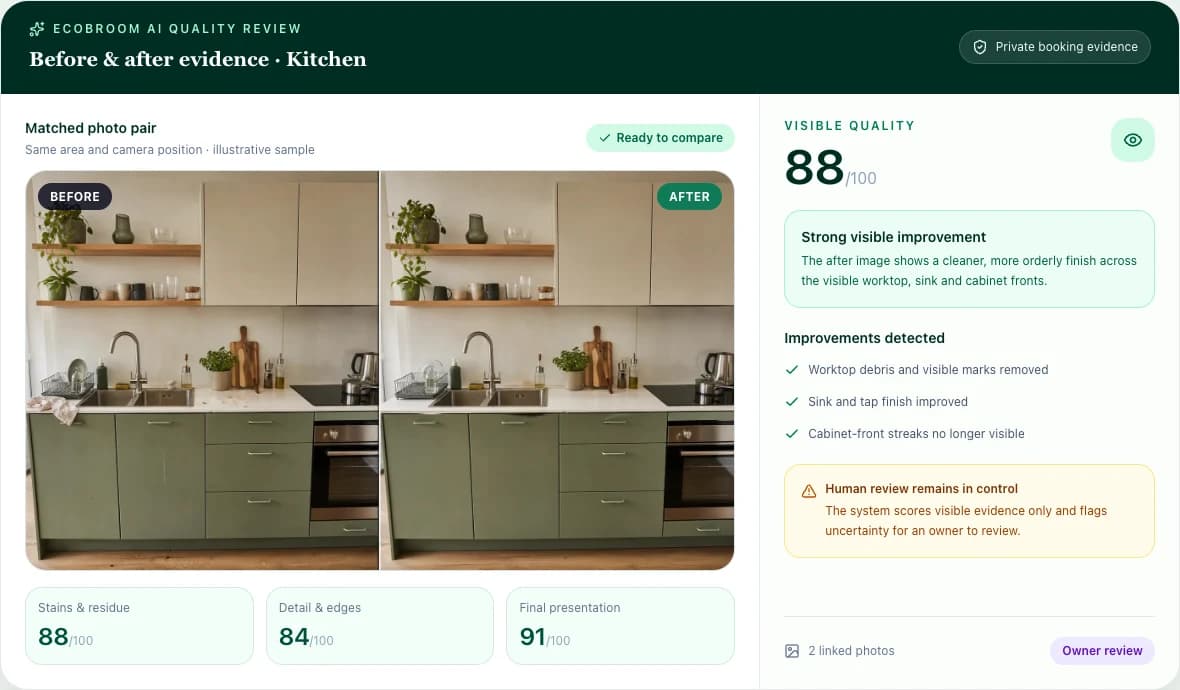
Review before-and-after cleaning photos
Take fair photo pairs, understand the score, fix weak evidence and decide what the customer sees.
When you finish
Each finished job can carry clear evidence and an owner-approved quality decision.
Part 1
Start the review
- 1
Open Quality
Choose a completed job waiting for review, or select New review for a one-off check that has no booking.
Open Quality - 2
Pick an area
Choose Kitchen, Bathroom, Bedroom or another area. Read the on-screen checklist before taking the photo.
- 3
Take the before photo
Stand far enough back to show the whole area. Add a close-up only when the guide asks for one.
- 4
Take the after from the same spot
Use the guide to match the angle, distance and light. A different angle can require a retake.
Part 2
Score, review and share
- 1
Score the ready areas
EcoBroom AI checks the visible checklist spots twice and calculates the score using fixed rules.
- 2
Read limitations and retakes
If the photos do not match or important parts are hidden, take a better after photo instead of guessing.
- 3
Make the owner decision
Review every finding, dismiss anything that is not right, arrange a fix where needed, then select Approve review.
- 4
Share only when ready
Choose what appears on the customer report. You can switch the report link off later.
Before you finish
- Same area
- Same angle and distance
- Similar light
- Whole checklist visible
- Retakes completed
- Owner approved the result